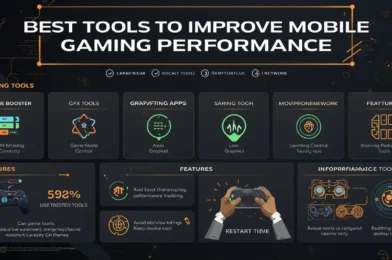
Mobile gaming performance depends not only on your device but also on how well it is optimized. If you experience lag, frame drops, or overheating, using the right tools can significantly improve your gaming experience.
In this guide, you will discover the best tools to improve mobile gaming performance and achieve smoother gameplay on Android devices.
Why Mobile Gaming Performance Drops
Before using any tools, it is important to understand the main causes of poor performance:
- Limited RAM and weak processors
- Background apps consuming resources
- Overheating
- High graphics settings
- Poor system optimization
Performance tools help reduce system load and improve efficiency.
Best Tools to Improve Mobile Gaming Performance
1. Game Booster Tools
Game booster apps are designed to optimize your device before and during gameplay.
- Clear RAM
- Stop background processes
- Improve system performance
For example, Samsung Game Booster provides built-in optimization features on supported devices.
2. GFX Tools (Graphics Optimization)
GFX tools allow you to manually control game graphics beyond default settings.
- Lower resolution
- Adjust FPS
- Disable heavy effects
⚠️ Use only trusted tools and supported games.
3. Cleaning Apps
Cleaning apps help remove unnecessary files and free up storage.
Popular benefits:
- Clear cache
- Remove junk files
- Improve system speed
4. Game Mode Apps
Game mode apps block interruptions and improve performance.
- Disable notifications
- Optimize background activity
- Focus system resources on the game
According to Android Help, limiting background processes can improve app performance, including gaming.
5. Network Optimization Tools
Some tools help improve connection stability during online gaming.
- Reduce background data usage
- Stabilize network performance
- Improve ping
6. System Monitoring Tools
These tools help you monitor performance in real time.
- CPU usage
- RAM usage
- Temperature
This helps you understand what is causing lag.
Best Settings to Use With These Tools
Using tools alone is not enough. Combine them with proper in-game settings:
- Graphics: Low or Smooth
- Frame Rate: High (stable only)
- Shadows: Off
- Effects: Low
This ensures better results.
Best Tips for Maximum Performance
1. Use Trusted Tools Only
Avoid unknown or unsafe apps that may harm your device.
2. Do Not Overload Your Phone
Using too many tools at the same time can reduce performance.
3. Keep Your Device Cool
- Avoid playing while charging
- Take breaks
- Play in a cool environment
4. Restart Your Phone Regularly
Clears memory and improves system responsiveness.
Common Mistakes to Avoid
- Installing too many optimization apps
- Using fake or unsafe tools
- Ignoring device overheating
- Relying only on tools without adjusting settings
Extra Tip
The biggest performance boost usually comes from lowering graphics settings, not from apps. Always combine tools with proper game settings.
Conclusion
Using the right tools can significantly improve mobile gaming performance, especially on low-end Android devices.
Game boosters, cleaning apps, and system optimization tools can help reduce lag and improve stability. However, the best results come from combining these tools with proper settings and good device management.